keytun: ngrok, but for keystrokes
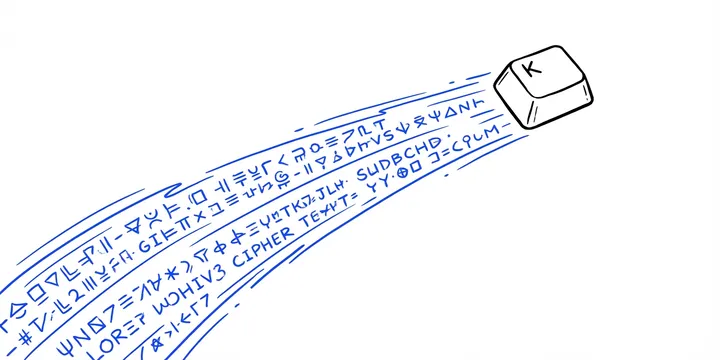
Every developer has been there. You’re on a screenshare, walking a colleague through something in the terminal, and they need to type a command. So they dictate it. Letter by letter. You mistype. They correct you. You mistype again. Three minutes later, you’ve entered a single kubectl command.
keytun fixes that. It lets your colleague type directly into your terminal over a WebSocket connection, with end-to-end encryption. No screen sharing software add-ons, no clipboard ping-pong, no “wait, was that a dash or an underscore?”
How it works
The architecture is deliberately simple. Three components, one job each.
The host starts a session and gets a human-readable code like keen-fox-42. The client joins with that code. A relay broker sits in between, forwarding encrypted WebSocket traffic in both directions. Keystrokes flow from client to host, terminal output flows back.
Client (stdin) ──WS──▶ Relay (broker) ──WS──▶ Host (PTY)
                       ◀──────────────────────  (output back to client)
The relay is a dumb pipe. It never sees plaintext. All data between host and client is encrypted end-to-end, and the relay forwards ciphertext and nothing more.
Getting started
Install with a single command:
# Shell (macOS / Linux)
curl -fsSL https://keytun.com/install.sh | sh

# Or via Homebrew
brew install gboston/tap/keytun
Then it’s two commands to start a session:
# On your machine
keytun host
# → Session code: keen-fox-42

# On your colleague's machine
keytun join keen-fox-42
That’s it. Your colleague is now typing into your terminal. They press Escape twice to disconnect.
Two modes: terminal and system
By default, keytun runs in terminal mode. It spawns a PTY with your shell, giving the remote user a full terminal session. This is the bread-and-butter use case for pair programming, debugging, and remote assistance.
There’s also a system mode (macOS only) that injects keystrokes at the OS level into the focused application. Want your colleague to type into your IDE, a text editor, or any desktop app? System mode handles that.
# Full terminal session (default)
keytun host --mode terminal

# OS-level keystroke injection into a specific app
keytun host --mode system --target "TextEdit"
Self-hosting the relay
The default relay at relay.keytun.com works out of the box. But if you want full control, or need to keep traffic on your own network, spin up a local relay:
keytun relay --port 8080
keytun host --relay ws://localhost:8080/ws
keytun join keen-fox-42 --relay ws://localhost:8080/ws
This is particularly useful for teams operating in air-gapped environments or with strict network policies. Since the relay only sees encrypted traffic anyway, self-hosting is more about network topology than security.
Why not just use tmux or VS Code Live Share?
Fair question. tmux works great if both parties have SSH access to the same machine. VS Code Live Share is solid if you’re both in VS Code. But keytun fills a different niche:
- No SSH keys, no shared server, no IDE required. Just a single binary and a session code.
- Works with any terminal workflow: vim, emacs, htop, psql, kubectl. If it runs in a terminal, keytun supports it.
- System mode goes beyond the terminal. No other lightweight tool lets someone type into your desktop apps over a secure tunnel.
- Minimal trust surface. The relay is stateless and sees nothing. There’s no account, no auth service, no persistent connection metadata.
The security model
End-to-end encryption is the only mode. The host and client exchange keys using X25519, and all traffic is AES-256-GCM encrypted from there. The relay has no access to the session key. If someone compromises it, they get opaque ciphertext.
Session codes are short-lived and unique per session. They’re easy to read over a call, which is the whole point: you’re already on a screenshare when you need this tool.
Built with Go
keytun is written in Go (1.25+), ships as a single static binary, and builds for macOS arm64 and amd64. Releases are automated through GoReleaser and GitHub Actions, with Homebrew tap updates handled automatically on tag push.
The project is licensed under AGPL-3.0.
Try it
brew install gboston/tap/keytun
keytun host
One binary, one command, one code. That’s the whole thing.
Source: github.com/gboston/keytun Website: keytun.com